 Enlarge
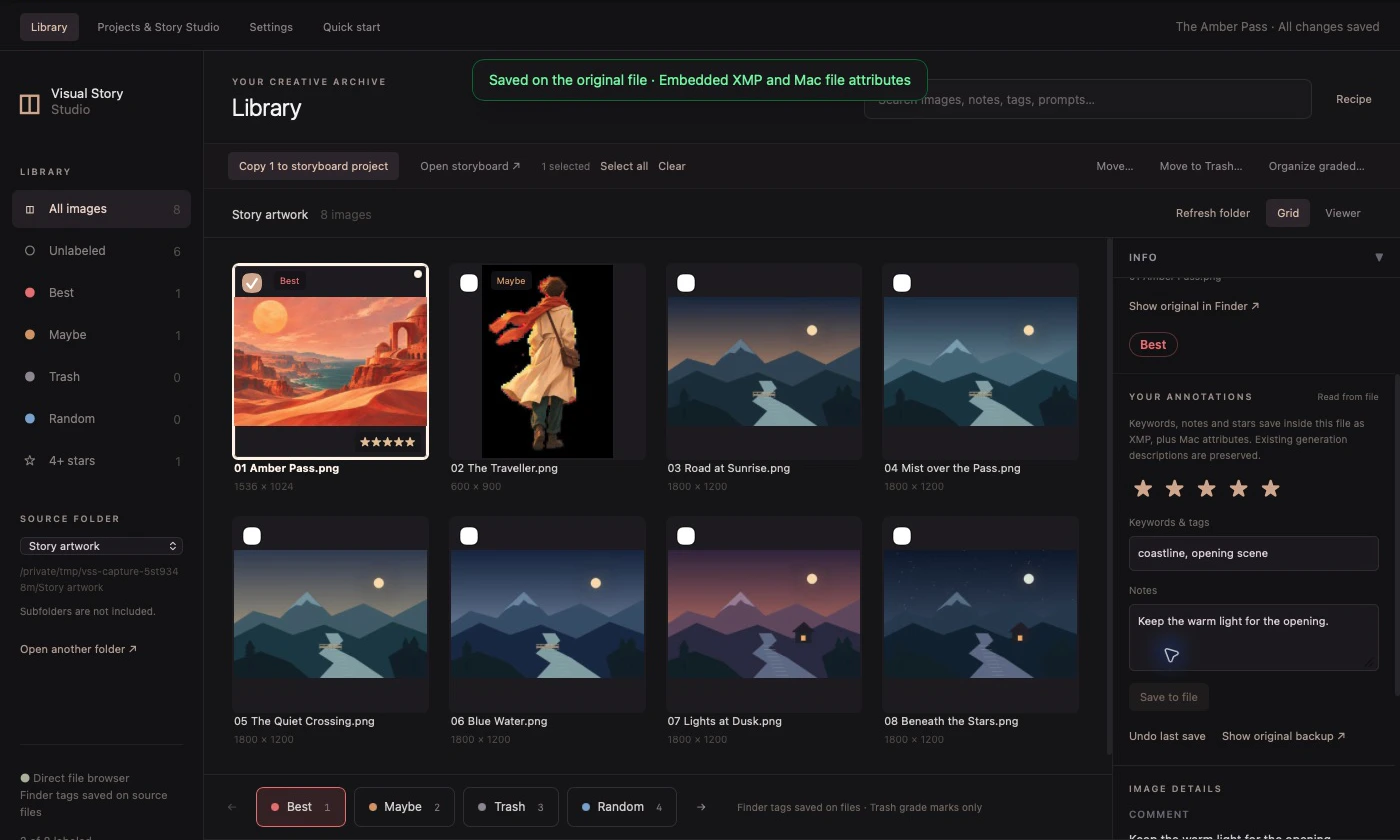
Find the images worth keeping.
Review an existing folder, grade with your keyboard, and use Finder tags that stay with your files. Open a closer view when the details matter.
 stilltostory
Get early access
A creative studio for Mac
Turn a folder of images into an illustrated story or a narrated film. Choose your frames, write your scenes, and give your artwork a little motion.
Coming to Apple silicon Macs · macOS 14+
Work with your own folders
Motion with up to three layers
Create and export offline
01 The workflow
Explore four workspaces in the Mac app. Select a view, then enlarge its screenshot for a closer look.
Enlarge
Review an existing folder, grade with your keyboard, and use Finder tags that stay with your files. Open a closer view when the details matter.
 Enlarge
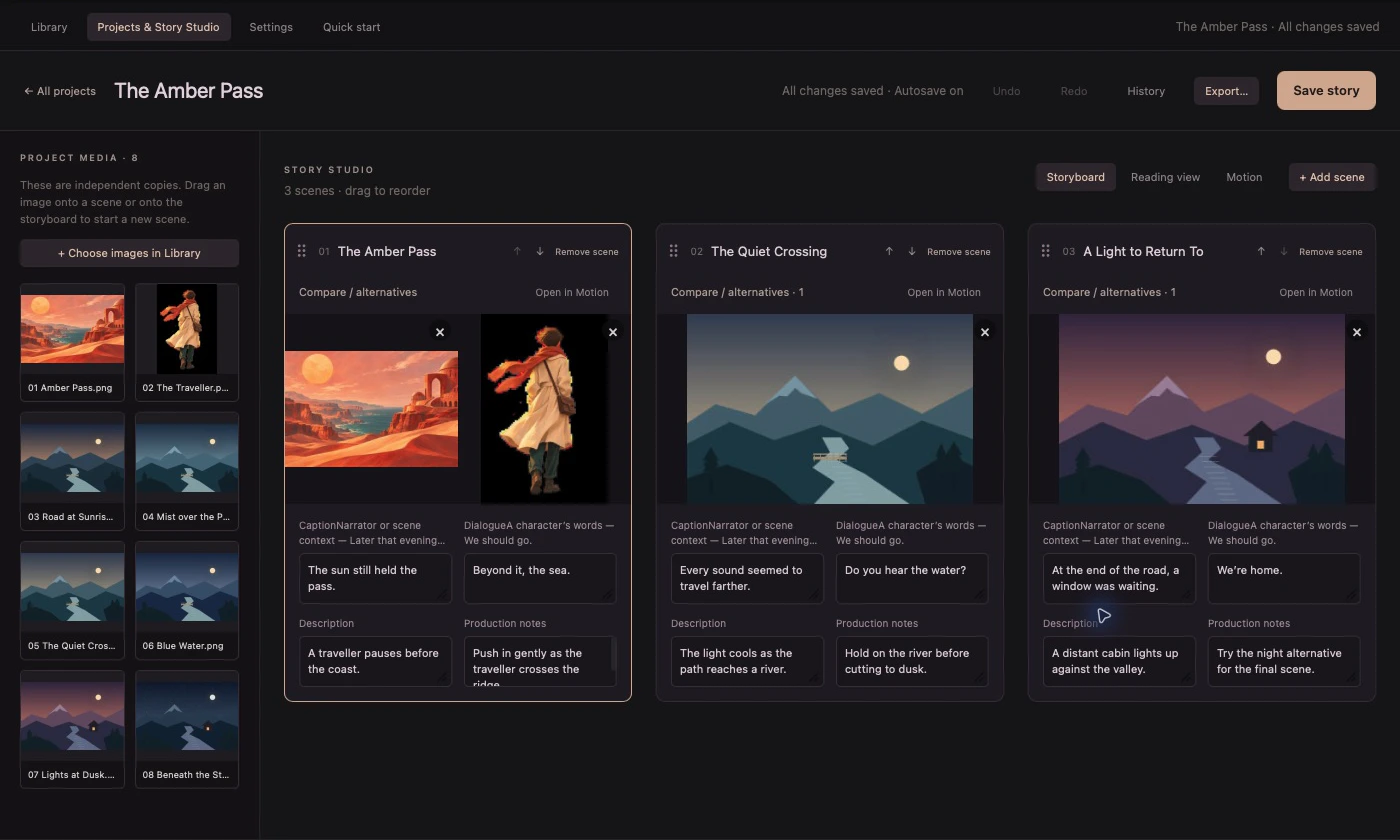
Arrange images into scenes, write captions and dialogue, and compare alternatives. Story projects keep their own media copies so they stay intact if originals move.
Enlarge
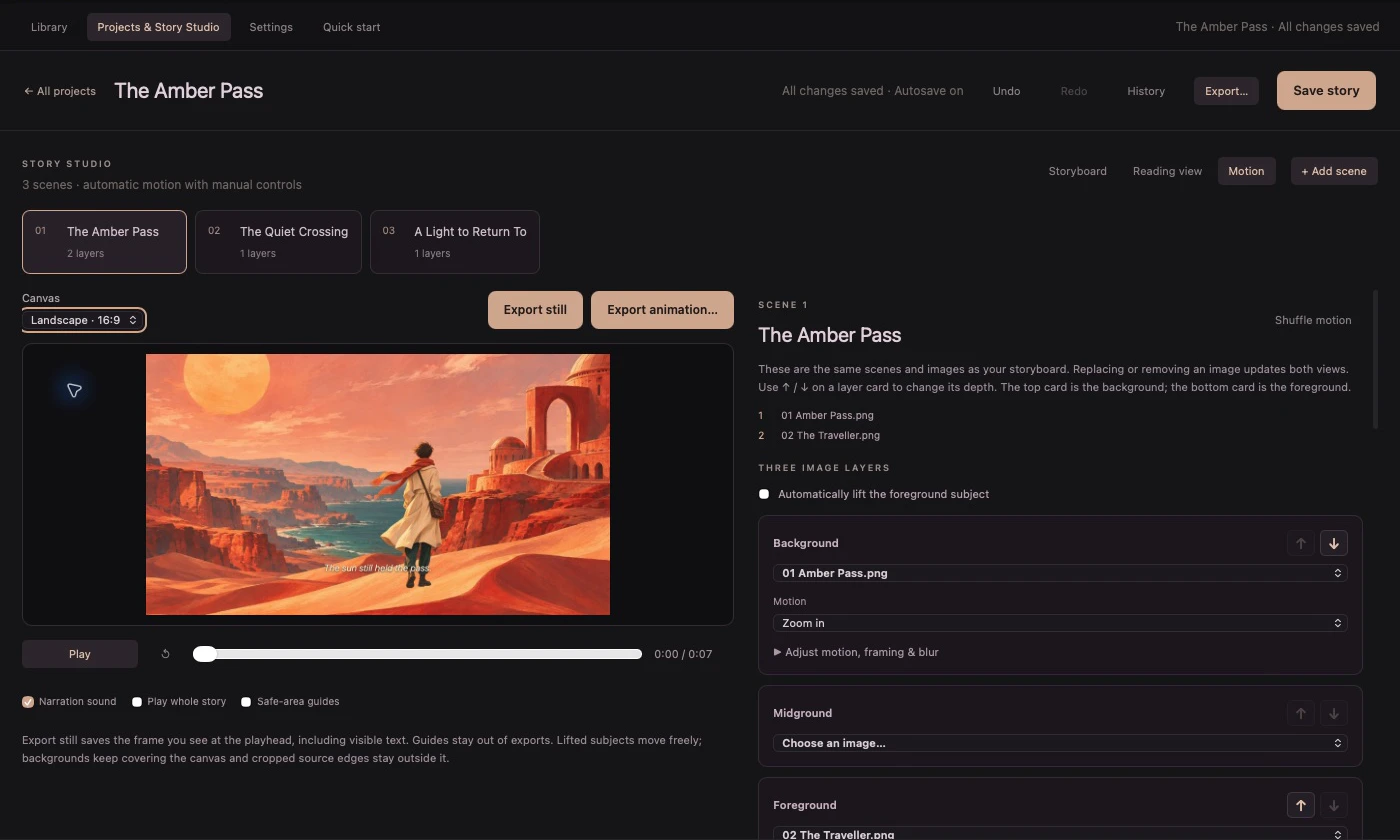
Lift a subject, add depth and give each layer its own movement. Let the app set timing and motion, or adjust them yourself. Add a Mac voice or a recording.
 Enlarge
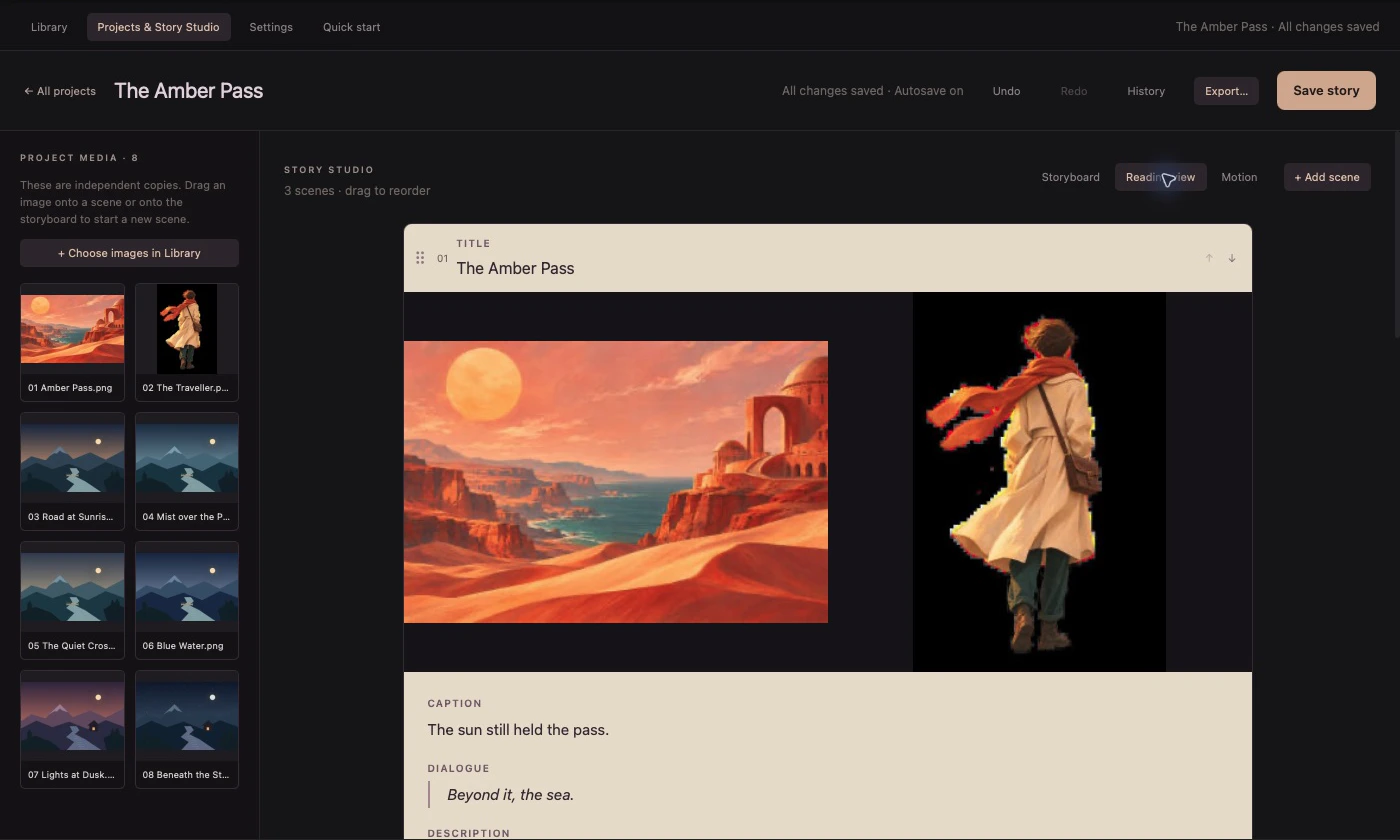
Review your scenes in order with their artwork, captions and dialogue. When the sequence feels right, export an illustrated reading copy.
Try a scene
Play this short browser example to see the traveller and landscape move at different speeds. Try the same scene in another frame shape.


The sun still held the pass.
02 Ready to share
Make a reading copy, a production board, or a moving story for the screen. Each starts with the same scenes.
9:16
03 Good to know
The first release is designed for Apple silicon Macs running macOS 14 Sonoma or later.
No. The app opens local folders and stores projects on your Mac. Subject lifting, scene editing and exports run on your device.
Images added to a storyboard are copied into its project folder. Keep that folder and its media together when moving or backing up a story.
stilltostory is preparing for its first external beta. Leave your email for release updates and possible beta invitations. Downloads and purchasing will open when the app is ready.
Coming to Mac
Get release news and a chance to try the first beta.
Your email is collected through Netlify Forms for beta invitations and release updates.